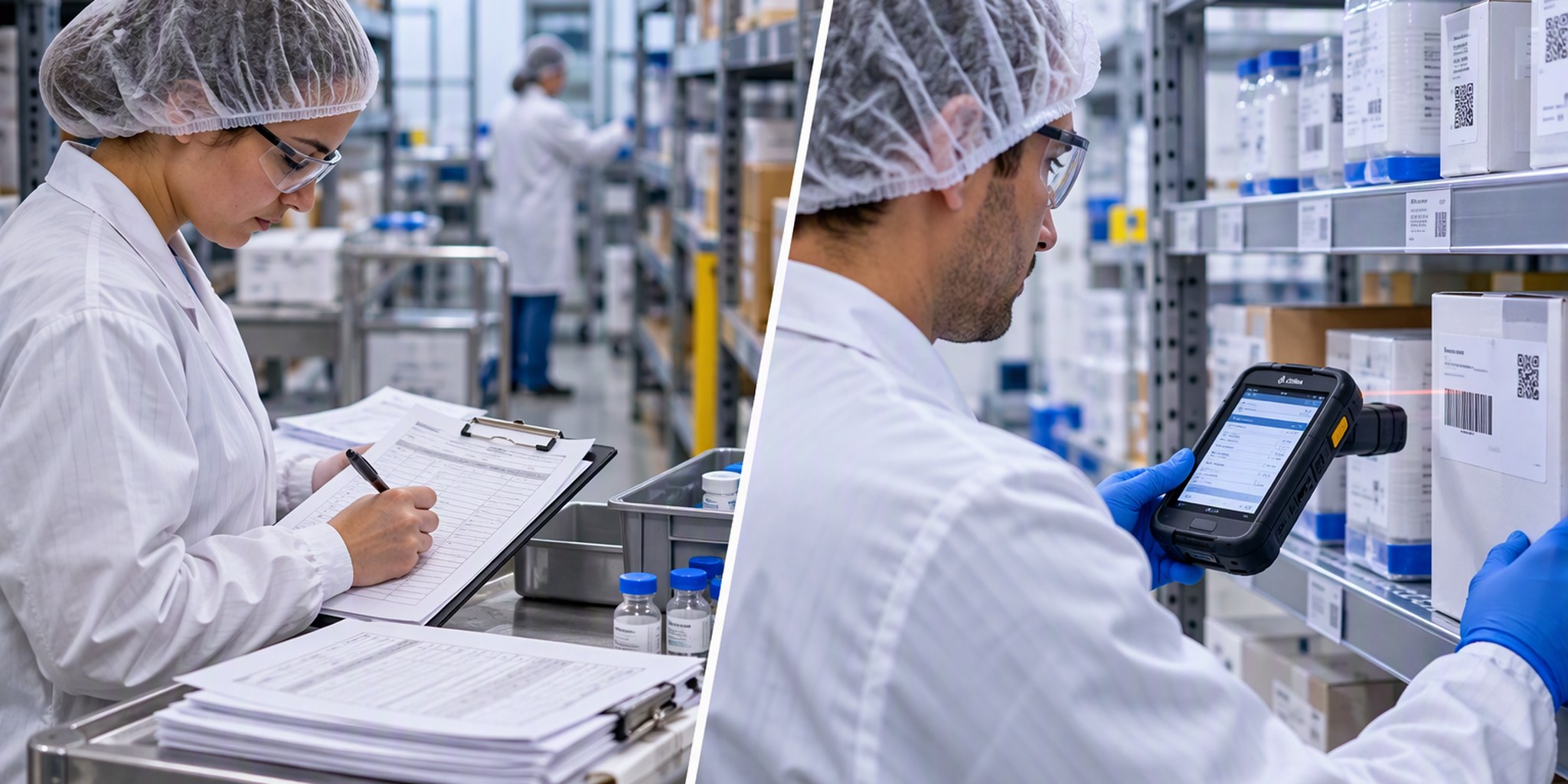
Paper-Based SAP Inventory in Life Sciences
Why Regulated Manufacturers Are Replacing Paper-Based Inventory Workflows with SAP-Native Mobile Execution
Many life sciences manufacturers have invested millions of dollars in SAP while continuing to run inventory execution processes using paper forms, handwritten notes, spreadsheets, and delayed data entry.
The result is a disconnect between physical inventory activities and SAP inventory records.
While these paper-based inventory workflows may appear manageable, they frequently contribute to inventory inaccuracies, compliance risks, traceability gaps, investigation effort, and reduced warehouse productivity.
For pharmaceutical, biotechnology, medical device, cell and gene therapy, and contract manufacturing organizations, inventory execution is not simply a warehouse concern. It directly affects production readiness, material availability, batch traceability, audit preparedness, and regulatory compliance.
Organizations seeking higher levels of SAP inventory accuracy are increasingly replacing paper-based inventory processes with SAP-native mobile execution platforms that support barcode scanning, guided workflows, real-time SAP transactions, and standardized warehouse operations.
Modern SAP inventory management is no longer about digitizing paperwork. It is about transforming inventory execution at the point of activity.
Why Paper-Based Inventory Processes Still Exist
Many life sciences facilities adopted SAP years ago but never modernized how frontline inventory work is performed.
As a result, operators commonly use:
- Printed picking lists
- Handwritten inventory count sheets
- Paper receiving forms
- Manual batch verification logs
- Spreadsheet-based inventory tracking
- Temporary paper notes for later SAP entry
- Printed inventory adjustment forms
In many facilities, the actual warehouse process looks something like this:
- Material is physically moved.
- Information is written on paper.
- The paper is carried to an office.
- Data is entered into SAP.
- Discrepancies are discovered later.
- Inventory records require correction.
SAP remains the system of record.
However, the actual execution process takes place outside the system.
This creates significant opportunities for error.
The Inventory Accuracy Problem Hidden in Plain Sight
When leaders investigate inventory discrepancies, they often focus on:
- SAP configuration
- Master data quality
- Planning processes
- Inventory policies
While those areas matter, many inventory issues originate during warehouse execution.
Every time inventory data is manually written down and entered later, there is risk of:
- Transcription errors
- Missing information
- Incorrect quantities
- Incorrect locations
- Wrong batch numbers
- Lost paperwork
- Delayed transaction posting
The challenge becomes even greater in regulated environments where inventory records support:
- Lot traceability
- Batch genealogy
- Electronic records
- Regulatory inspections
- Material status management
- Production release processes
- Quality investigations
The more critical the material, the greater the operational impact of inventory inaccuracies.
Why Life Sciences Organizations Face Greater Risk
Not all warehouses operate under the same requirements.
A typical distribution warehouse may manage thousands of SKUs with relatively simple tracking requirements.
Life sciences organizations often manage:
- Lot-controlled inventory
- Batch-controlled materials
- Serialized products
- Controlled substances
- Quarantined inventory
- Temperature-sensitive materials
- Clinical inventory
- Quality-controlled inventory
Every inventory transaction may require additional verification and documentation.
Minor accuracy issues can create major consequences.
For example:
- A warehouse operator manually records a lot number on a paper movement sheet.
- The handwritten value is later entered incorrectly into SAP.
- The physical material and SAP records no longer align.
- Inventory still exists.
- The quantity may still be correct.
- But traceability has been compromised.
That single error can trigger investigations that consume hours or days of effort across operations, quality, and compliance teams.
The Seven Biggest Risks of Paper-Based SAP Inventory Workflows
1. Delayed SAP Updates
One of the largest challenges with paper-based inventory workflows is timing.
Physical activity and SAP transactions occur at different moments.
Inventory may be:
- Received before posting
- Moved before updating SAP
- Issued before recording
- Counted before entry
This delay creates inventory visibility gaps.
During that gap, SAP may show inventory that no longer exists at a location or fail to reflect inventory that has already arrived.
2. Human Transcription Errors
Operators frequently transfer information multiple times.
Examples include:
- Barcode to paper
- Paper to spreadsheet
- Spreadsheet to SAP
Every transfer introduces opportunities for error.
Typical mistakes include:
- Incorrect quantities
- Transposed numbers
- Wrong storage locations
- Incorrect material numbers
- Incorrect batch identifiers
The issue is rarely SAP itself.
The issue is manual data capture.
3. Inconsistent Process Execution
Paper instructions can only do so much.
Different operators often execute the same task differently.
Consider cycle counting:
- One associate may recount discrepancies.
- Another may immediately adjust inventory.
- A third may notify a supervisor.
The result is operational inconsistency.
Standardization becomes difficult.
Audit readiness suffers.
4. Missing Exception Handling
Unexpected situations occur every day.
Examples include:
- Damaged materials
- Missing inventory
- Incorrect lot numbers
- Quantity variances
- Missing labels
Paper processes often provide little guidance regarding how exceptions should be handled.
This forces operators to improvise.
Improvisation creates variability.
Variability creates risk.
5. Reduced Warehouse Productivity
Paper-based workflows introduce additional steps:
- Writing information
- Carrying paperwork
- Reviewing paperwork
- Performing data entry
- Correcting mistakes
- Performing reconciliations
Warehouse personnel spend valuable time managing paper rather than inventory.
Productivity suffers.
6. Training Challenges
Many life sciences organizations face workforce transition challenges.
Experienced employees often possess years of tribal knowledge.
Paper-based inventory processes frequently depend on that experience.
New employees may struggle to determine:
- What to do
- When to do it
- Which exception process applies
- Which SAP transaction should be used
Organizations become dependent on individual expertise rather than standardized processes.
7. Audit and Investigation Effort
Investigations frequently begin with the same question:
“What actually happened?”
Finding the answer can become difficult when inventory activity relies on:
- Handwritten notes
- Spreadsheet updates
- Manual approvals
- Delayed postings
The effort required to reconstruct events increases dramatically.
The Impact on SAP Inventory Accuracy
SAP inventory accuracy depends on three conditions.
Accurate Execution
Inventory work must be performed correctly.
Accurate Capture
Information must be recorded correctly.
Accurate Posting
Transactions must be updated correctly and promptly.
Paper-based systems weaken all three conditions.
This is why many organizations continue to experience inventory variances despite significant investments in SAP.
The system may be functioning correctly.
The process is not.
Why Barcode-Driven Workflows Change Everything
Most inventory accuracy problems originate when information is manually captured.
Barcode-driven SAP workflows reduce that dependency.
Instead of:
- Writing material numbers
- Writing lot numbers
- Writing locations
- Writing serial numbers
Operators scan them.
Benefits include:
- Faster data capture
- Fewer typing errors
- Better traceability
- Improved consistency
- Improved inventory accuracy
Most importantly, barcode scanning verifies that operators are interacting with the correct material and location.
Moving from Paper to SAP-Native Mobile Execution
The next phase of SAP warehouse modernization is not simply digitizing forms.
The goal is guided execution.
SAP-native mobile solutions place workflow controls directly at the point of activity. Modern solutions such as Havensight’s SAP-native inventory execution platform focus on workflow-driven, scan-first inventory management that replaces paper-based processes with real-time execution and standardized mobile workflows.
Instead of relying on memory, paper instructions, or handwritten documentation, operators follow guided workflows that drive process consistency.
The experience becomes:
- Scan location.
- Scan material.
- Verify quantity.
- Follow workflow prompts.
- Submit transaction.
- Update SAP immediately.
Execution becomes easier.
Accuracy improves.
Compliance support becomes stronger.
What Modern Life Sciences Inventory Operations Should Look Like
Receiving
Operators scan materials and verify information as inventory arrives.
SAP is updated immediately.
Inventory Transfers
Source and destination locations are validated through scanning rather than manual entry.
Cycle Counting
Counts occur directly at the point of work.
Inventory discrepancies are identified earlier.
Material Issues
Operators verify the correct material before issuing inventory.
Returns Processing
Materials are tracked with greater consistency and visibility.
Exception Management
Users receive guided instructions when unexpected conditions occur.
The result is greater process standardization throughout the warehouse.
Five Characteristics of a Modern SAP Inventory Environment
Scan-First Operations
Barcode-driven execution minimizes manual entry.
Real-Time Visibility
Inventory activity is reflected in SAP immediately.
Standardized Workflows
Users follow approved procedures consistently.
Better Traceability
Material movements are captured electronically at the point of activity.
Improved User Adoption
Mobile workflows are easier than transaction-centric interfaces. Havensight positioning materials emphasize workflow-driven execution, scan-first processes, and simplified mobile workflows designed around how warehouse teams work rather than forcing users through legacy transaction screens.
A Life Sciences Inventory Modernization Roadmap
Organizations do not need to replace every inventory process simultaneously.
A practical roadmap often looks like this:
Phase 1: Assessment
Identify:
- Paper-driven processes
- Inventory accuracy issues
- Compliance concerns
- Manual data entry points
Phase 2: Prioritize High-Risk Activities
Focus on:
- Receiving
- Inventory transfers
- Cycle counting
- Material issues
Phase 3: Introduce Mobile Execution
Deploy barcode-driven workflows integrated directly with SAP.
Phase 4: Standardize Exception Handling
Create defined responses for common inventory problems.
Phase 5: Expand Across Operations
Deploy consistent inventory processes across facilities, shifts, and teams.
Final Thoughts
Paper-based inventory workflows were acceptable when warehouse operations were simpler and regulatory scrutiny was lower.
Those conditions no longer exist.
Life sciences organizations face increasing pressure to improve inventory accuracy, maintain traceability, support audit readiness, and increase operational efficiency.
The challenge is not that SAP lacks inventory functionality.
The challenge is that too many inventory processes still occur outside SAP.
Every handwritten count sheet.
Every spreadsheet.
Every delayed transaction.
Every manual inventory adjustment introduces risk.
Organizations that modernize inventory execution with SAP-native mobile workflows create a stronger foundation for inventory accuracy, warehouse productivity, traceability, and compliance support.
The future of life sciences inventory management is not paperless for the sake of being digital.
It is about ensuring that every inventory transaction is executed accurately, captured immediately, and reflected in SAP at the moment the work occurs.
Frequently Asked Questions About Paper-Based SAP Inventory
Want even more reading?
How Manual SAP Warehouse Work Slows Manufacturing